

An implementation guide (IG) is where the extensions your integration needs are declared. Not by name, exactly — by the profile-plus-extension shape that the IG expects on every payload it accepts. Reading the IG the way a compiler reads a spec is the fastest way to know what your producer has to send and what your consumer has to handle. The site's Extension registry audit surfaces the ones from major IGs. For the wider FHIR framing, the broader FHIR knowledge hub has more.
What An IG Actually Publishes
- A set of profiles per resource type
- A set of extensions with canonical URLs
- Terminology bindings — value sets and code systems
- CapabilityStatements describing what a conformant server supports
- Guidance prose that binds it all together
The extensions are usually the smallest artefact and the load-bearing one. Every profile refers to them by URL. Every payload conforming to a profile has to carry them where they are required.
Read The Differential, Not The Snapshot
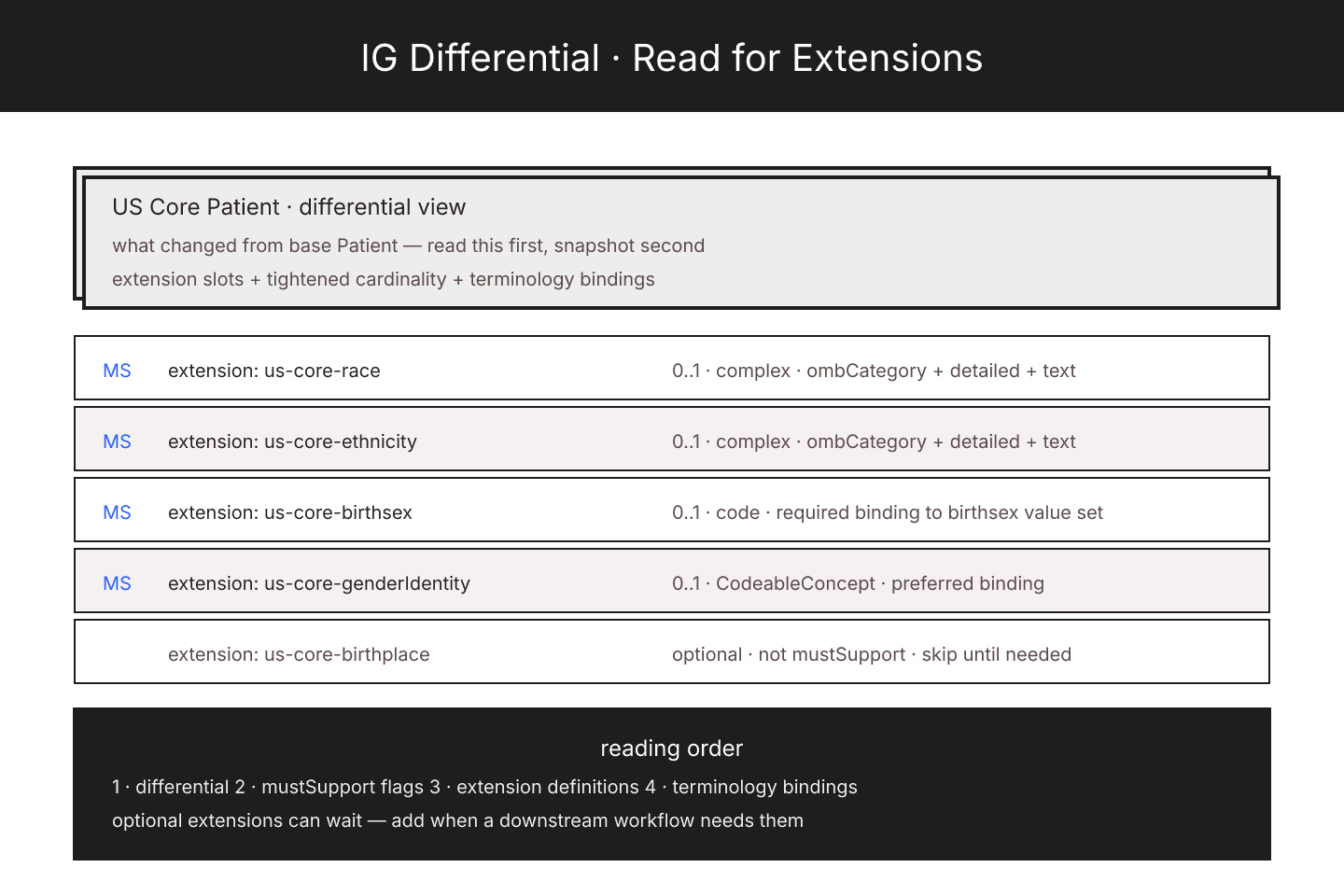
Every profile has two views: differential (what changed from the base) and snapshot (the full expanded shape). Read the differential first. It lists the elements the profile added or tightened, including the extensions.
Snapshot is useful for validators and generators; differential is what humans read to understand a profile. Trying to reverse-engineer an IG from snapshots is a slow path.
Note Every mustSupport Flag
Extensions marked mustSupport are the ones consumers must handle. The producer may not always populate them, but the consumer cannot silently drop them.
That flag drives implementation priority. US Core profiles for Patient carry mustSupport on race, ethnicity, and birthsex extensions — those are non-negotiable handling. For the specific case, finding US Core extensions your data has to carry walks through them.
Read The Extension Definitions
Every extension the profile references has its own StructureDefinition. Read those:
- What value type does the extension carry?
- Is it a simple extension (one value) or a complex extension (nested sub-extensions)?
- What is the canonical URL?
- Is it modifier or regular?
Sending a complex extension as if it were simple, or vice versa, produces payloads that fail validation on the receiver.
Look For Cross-Version Drift
IGs often exist in multiple versions. US Core 3.1.1, 5.0.1, 6.1.0, 7.0.0 — each may reference slightly different extension URLs. Producers stuck on an older IG send URLs consumers on a newer IG do not recognize.
The right pattern: pin to a specific IG version, document which extensions it uses, upgrade in a controlled manner. For the validation side of this, extension validation that doesn't trip on optional URLs is the entry.
Ignore The Optional Extensions Until You Need Them
An IG usually declares extensions beyond mustSupport — optional ones profiles or consumers may use. Producers do not have to send them. Consumers do not have to handle them beyond ignoring them safely.
Ignoring the optional extensions is not laziness; it is scope management. Add them when a downstream workflow actually needs them, not because they appear in the profile.
Terminology Bindings Are Half The Story
Extensions with coded values carry bindings to value sets. A race extension binds to a specific ombCategory value set. Sending a code outside the value set makes the payload technically valid but semantically wrong.
Read the binding strength. Required bindings must come from the set. Extensible bindings can be extended when the set is insufficient. Preferred and example bindings are advisory.
The Audit Tool As A Shortcut
The extension audit at /lint-lab/audit-extension-urls/ walks a resource or Bundle and classifies every extension URL against known IGs. That is the fast path from "does my payload look conformant?" to a definite answer.
For the base case of whether a gap even deserves an extension, when a FHIR extension is the right answer, and when it isn't is the entry.
The Short Version
Read the differential. Note mustSupport. Read extension definitions individually. Watch version drift. Terminology bindings matter. Optional extensions can wait. The audit tool catches most of the misses.
Sources
- HL7 US Core Implementation Guide STU7 canonical index - HL7 US Core Implementation Guide STU7 canonical index